Assetto Corsa EVO

Assetto Corsa EVO

78 ratings
Simple Controller Setup (Gamepad Settings)
By Weeddrunken
A very simple but essential setup to have a proper gamepad experience in AC EVO.
2
4
   
Award
Favorite
Favorited
Unfavorite
Introduction
First of all I know that I need to get me a new steering wheel, pedals and stuff...
...and when I first drove with my xbox controller it was a very horrible experience to be honest, as the gamepad controls were not setup right from the start! (Maybe cause I've a joystick connected, as well.)

Nevertheless I wanted to know if you can play Assetto Corsa EVO properly with a controller? And with a simple setup and some optional tweaks it feels like the most immersive gamepad car handling experience, I've ever had on my XBOX ELite II controller.
Preperations (enable steam input)
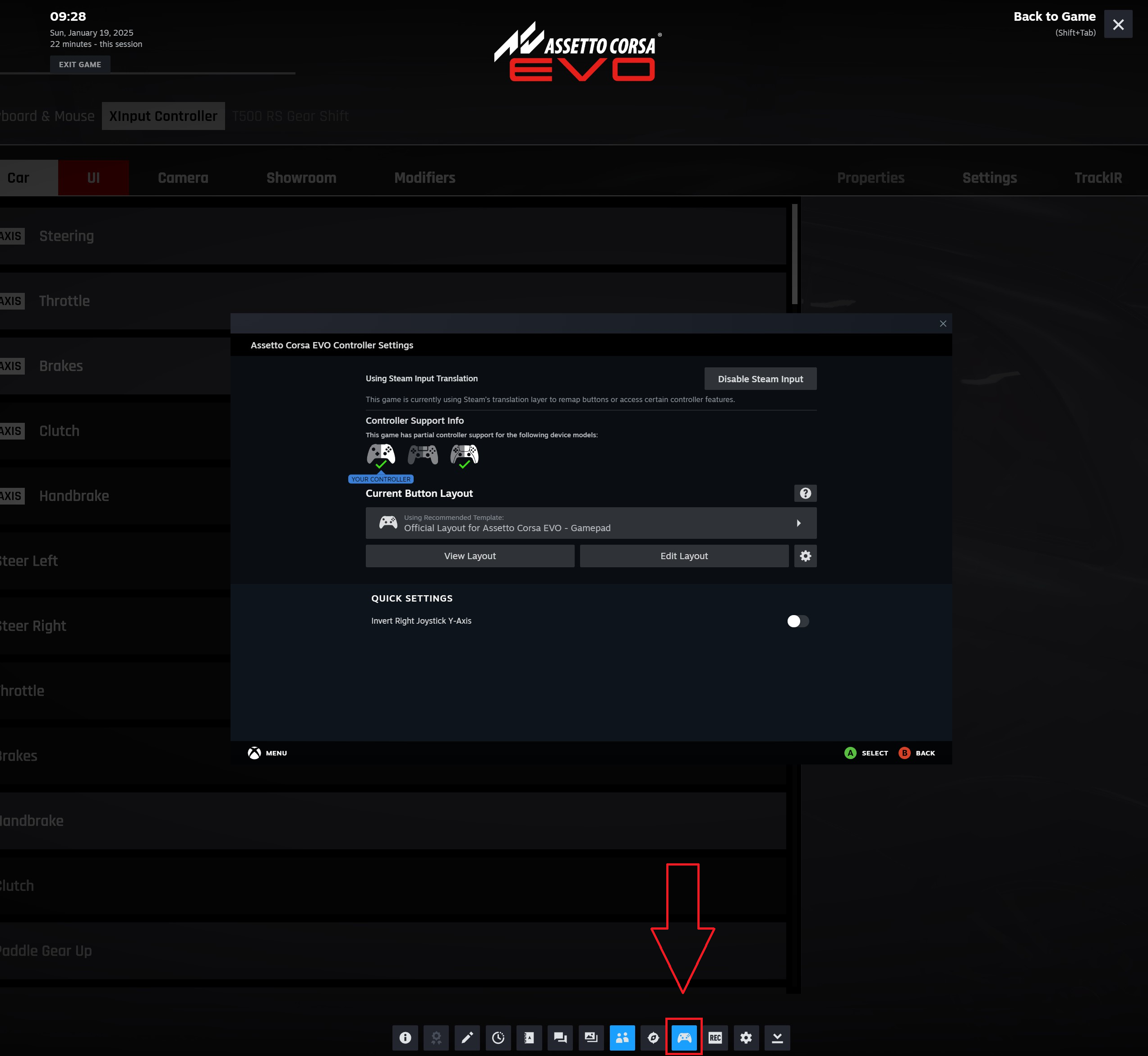
There are two simple ways to setup the controller input. But before, you must make sure that you have steam input enabled for your controller. To do so press Shift+TAB (steam ui) ingame and go to controller settings. Here enable steam input and simply select the 'Official Layout for Assetto Corsa EVO'.
Simple Controller Setup (gamepad settings)
And here are the two simple ways to setup the gamepad input correctly in AC EVO:

1. "Automatically"
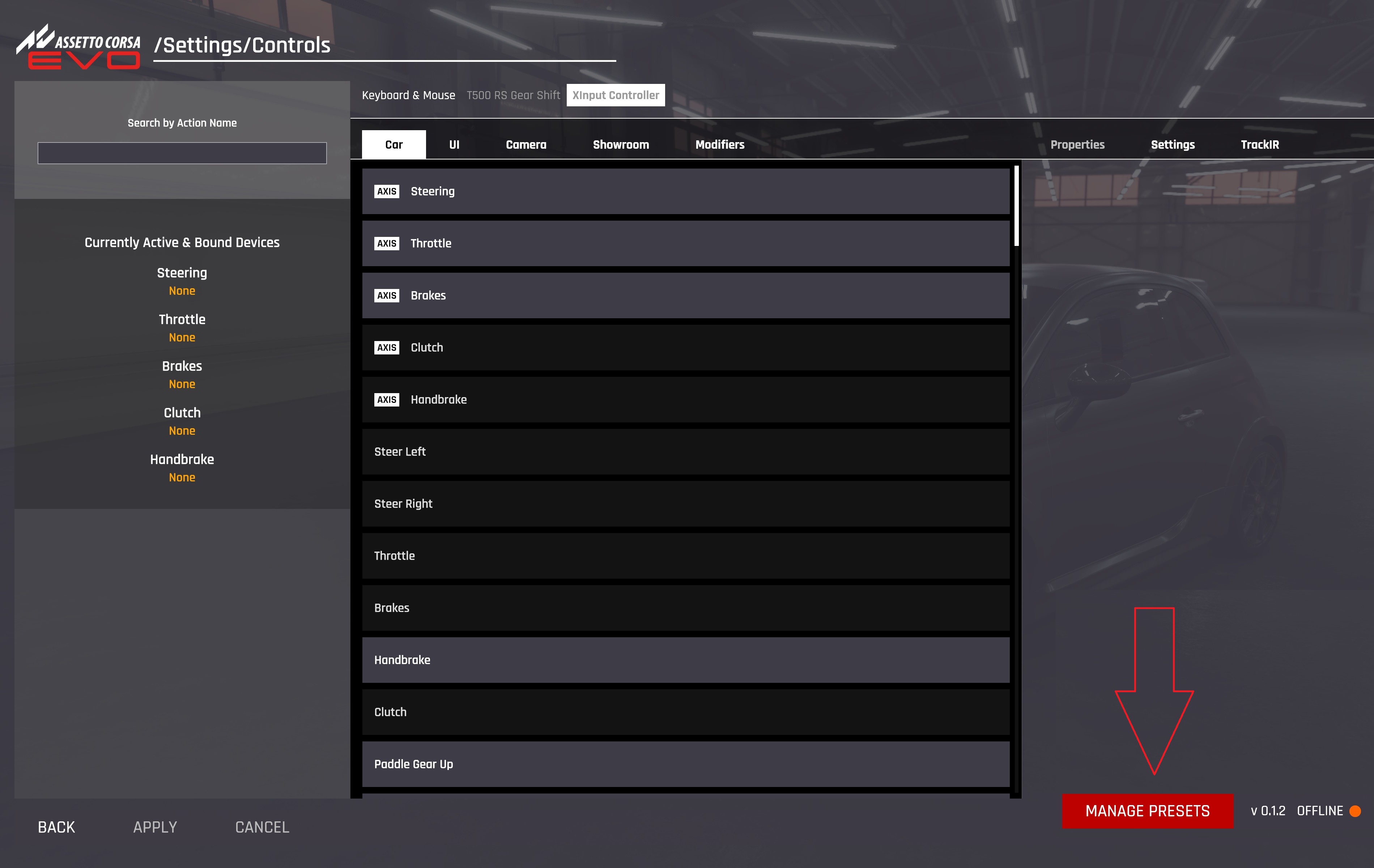
Ingame go to Settings/Controls and click 'Manage Presets' (bottom right)
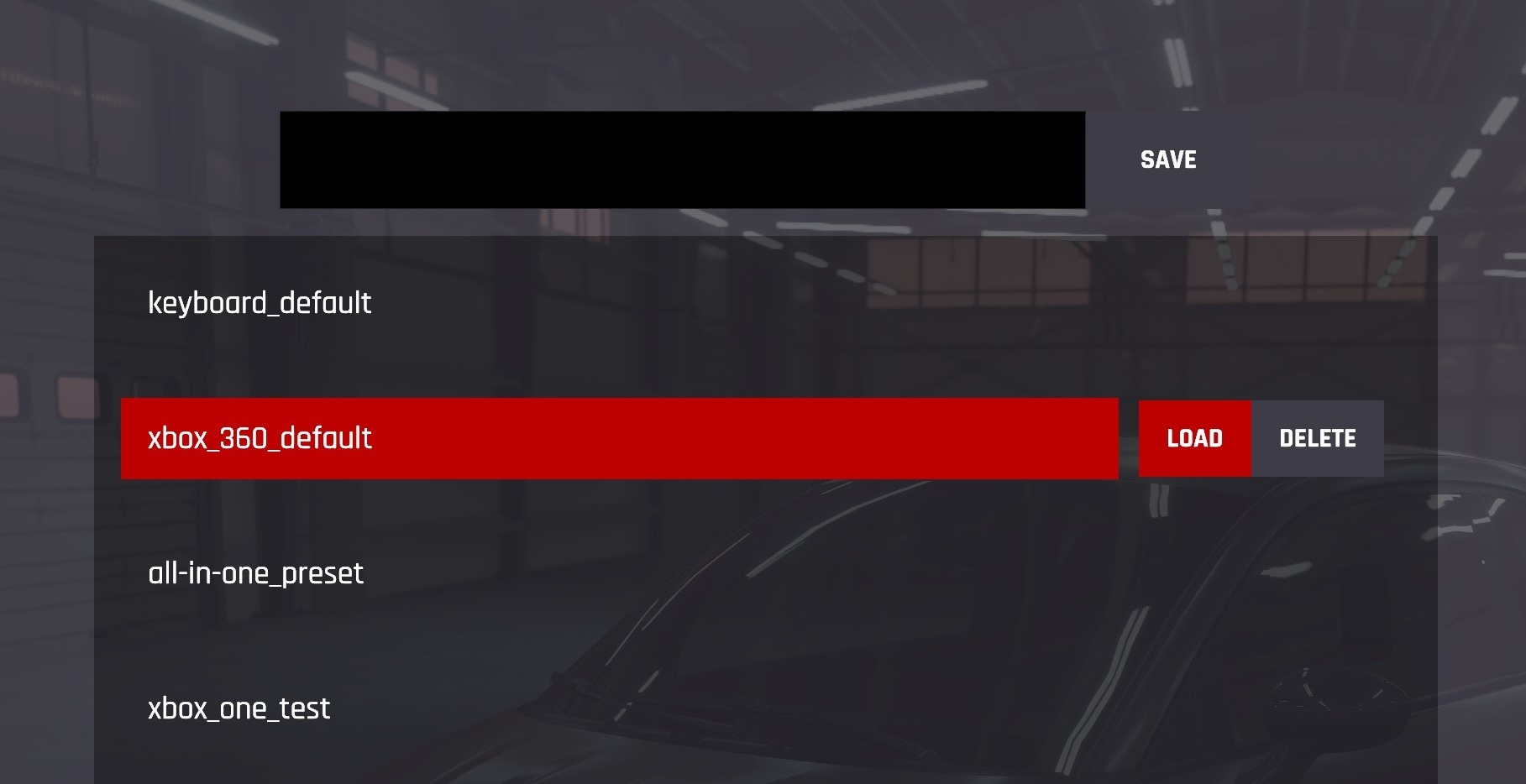
1.1 And simply load the preset: xbox_360_default
-------------------------------------------------------------------------------------------------------
2. "Manually"
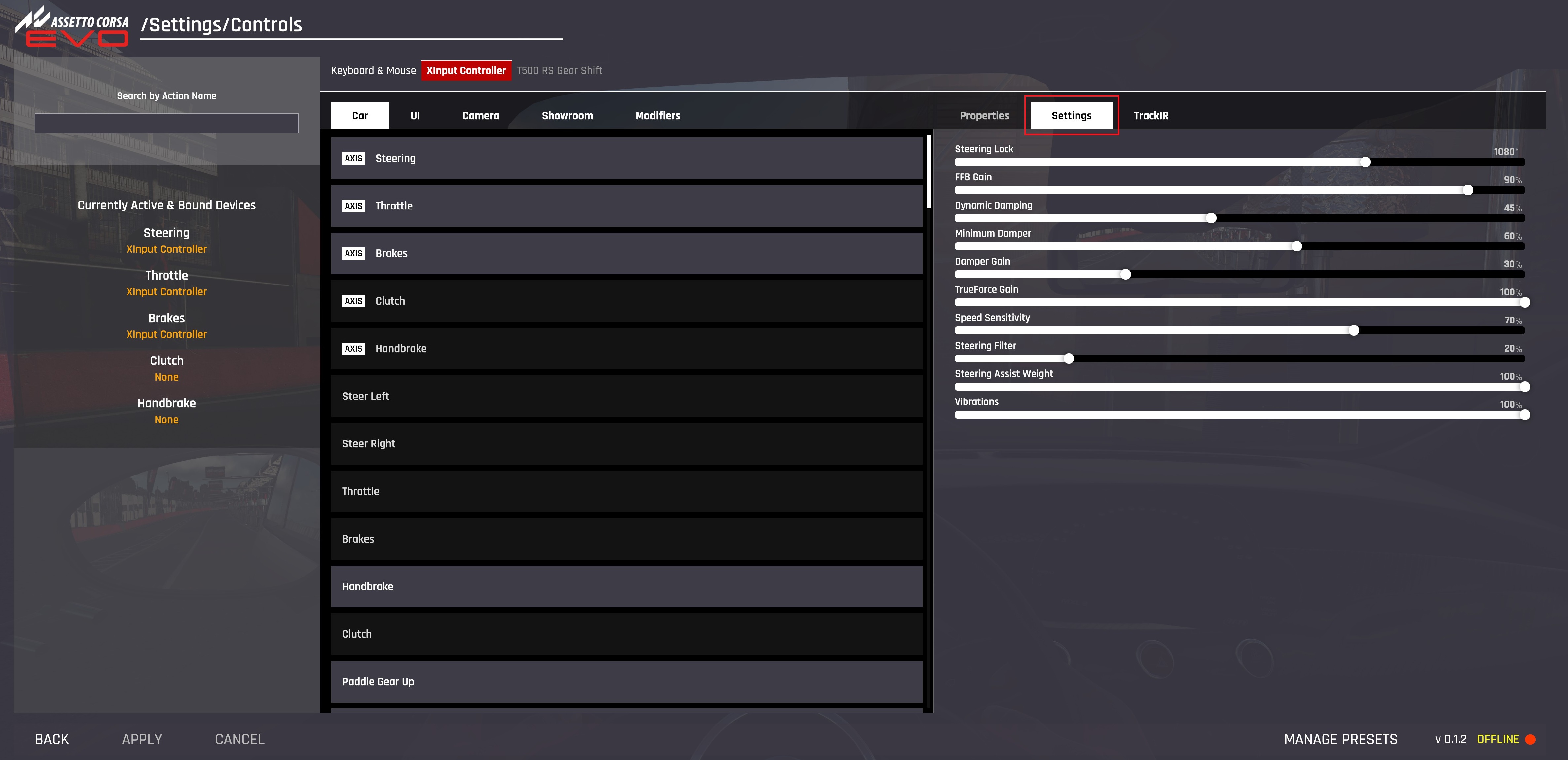
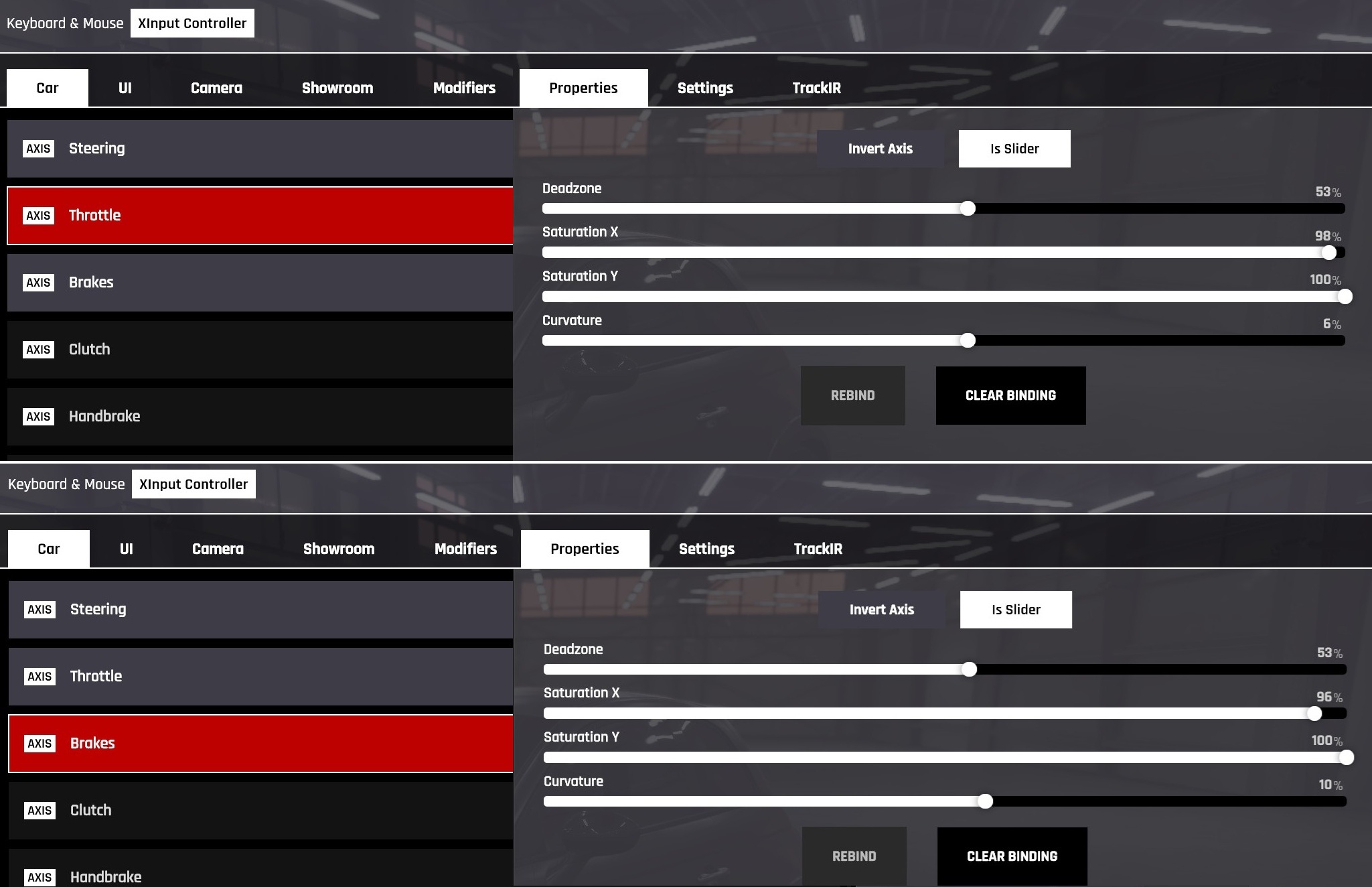
Or alternatively set all controller/gamepad values manually, as shown in the screenshot below.
2.1 Throttle & Brakes
Optional: Improvements (tweaks)
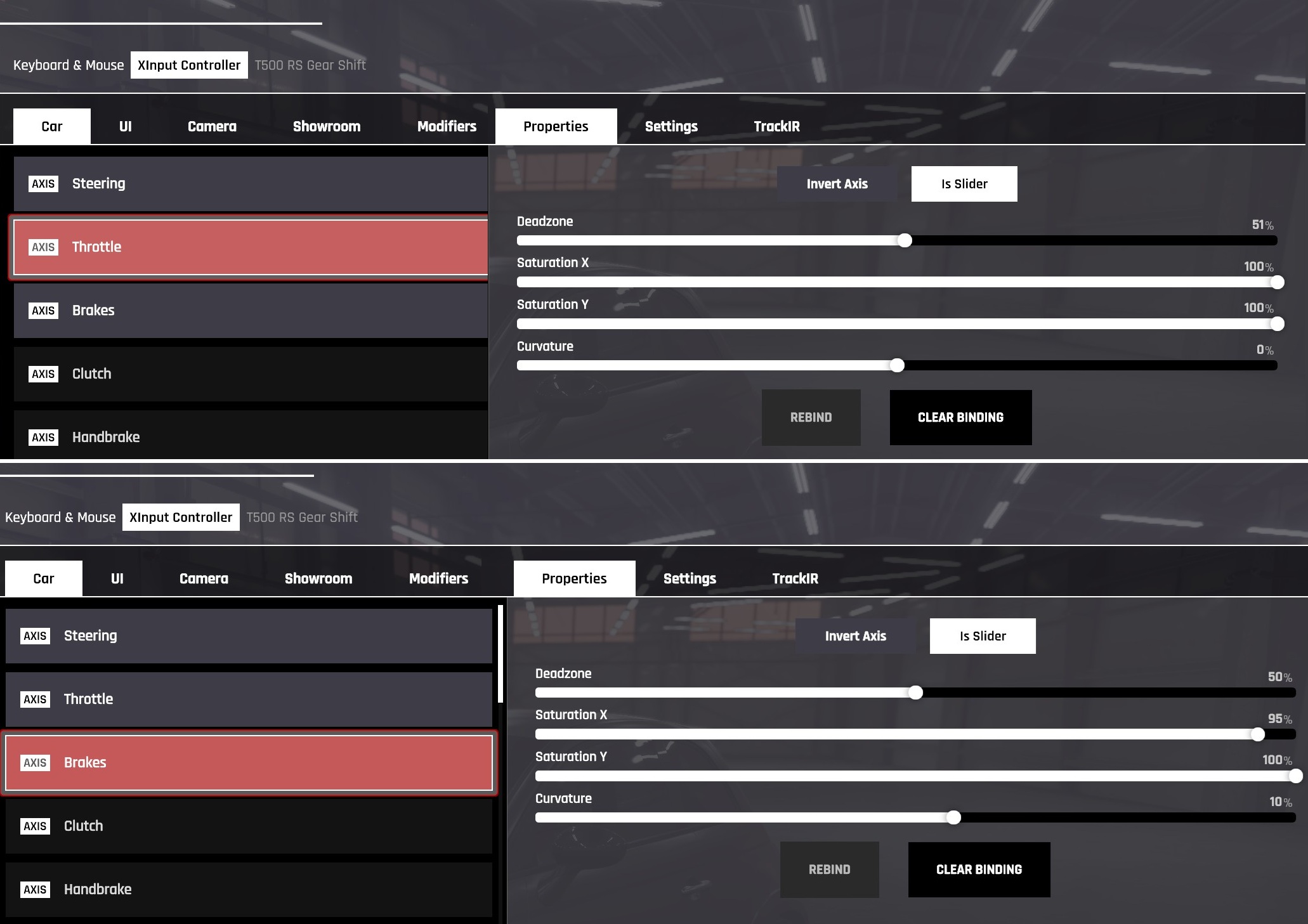
Those are my modified and personal preferred gamepade settings, enjoy!
Throttle & Brakes:
---
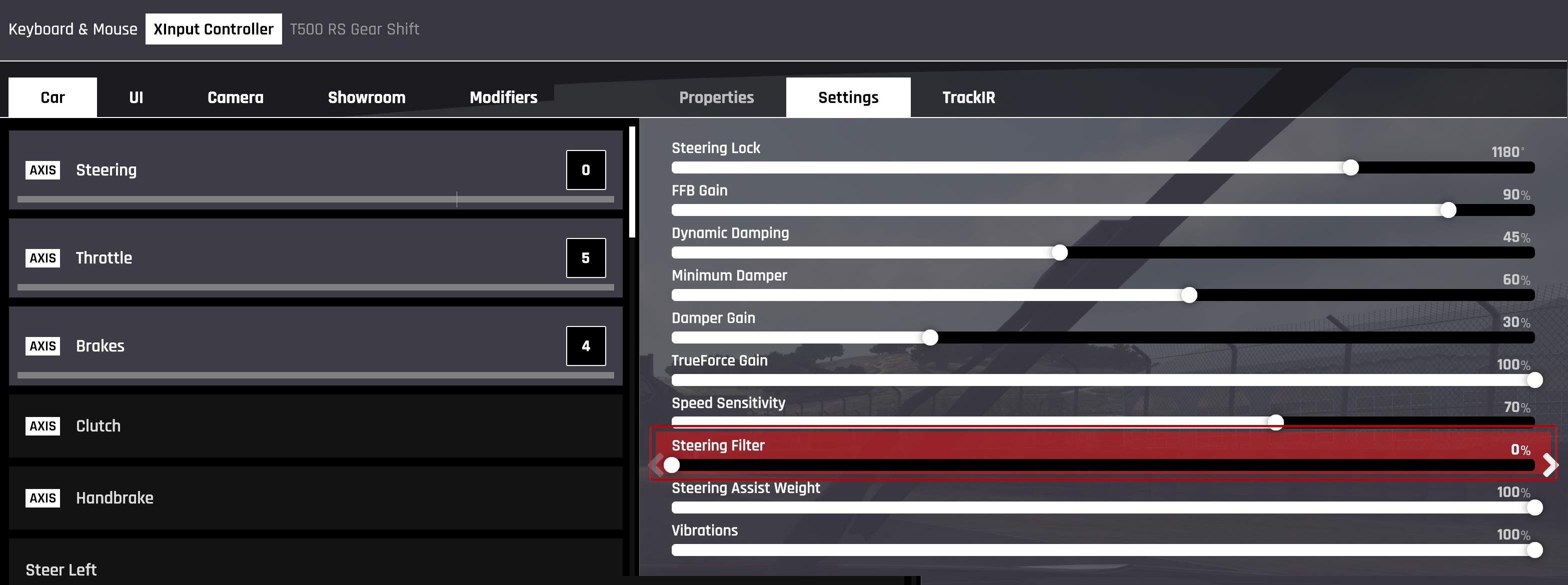
Steering:
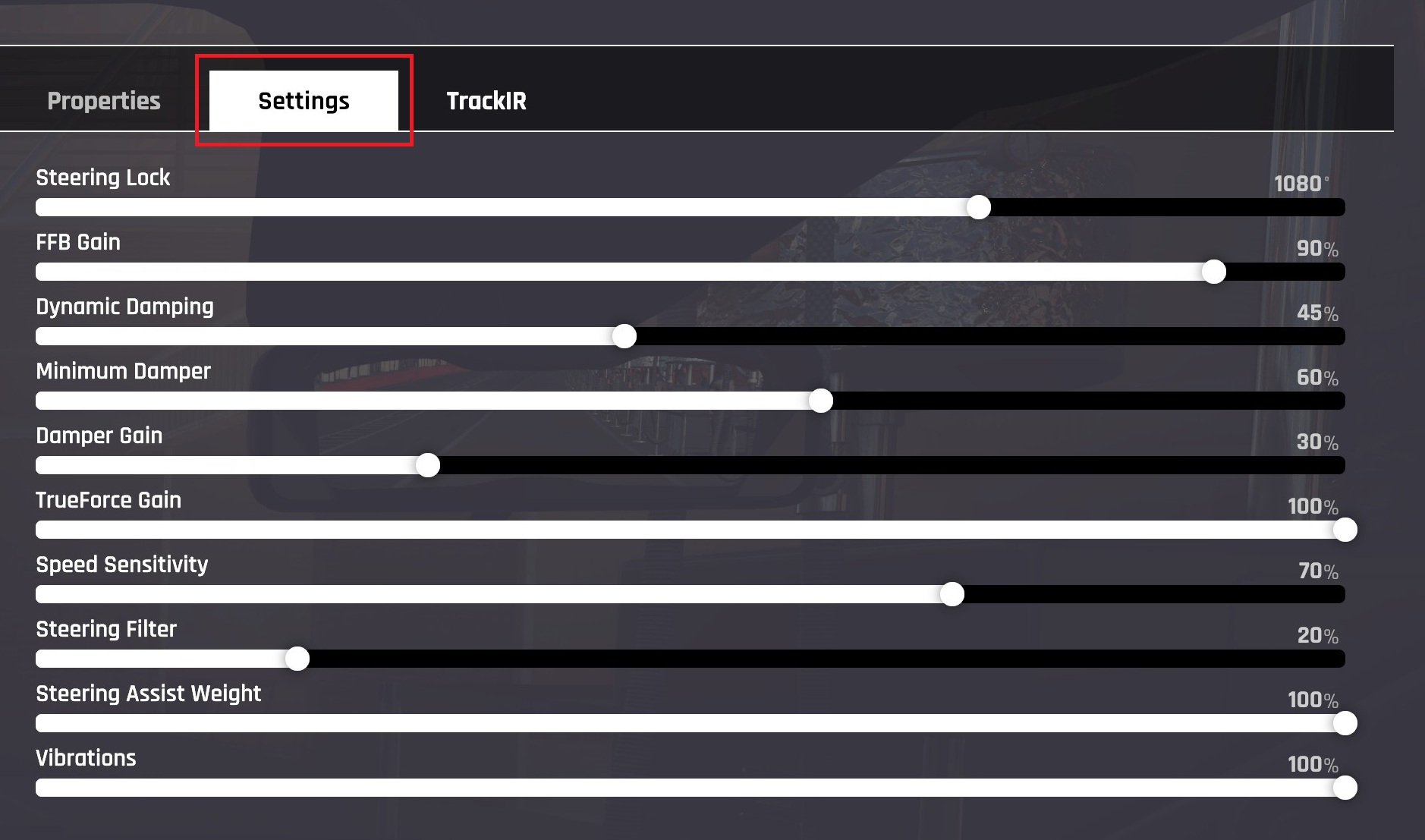
Steering Filter from 20% to 10% (used 0% in the past)
Changelog
  • 01/27/25 updated Steering Filter setting
  • 01/23/25 modified Steering Filter
  • 01/20/25 modified Throttle & Breaks settings

20 Comments
how's the game overall? driveable? alone? lonely?
Makaveli 15 Mar @ 3:48pm 
any more updates for contollrer uses ?
L1B3R4T0R 4 Feb @ 5:34am 
hi
E(0)=MC^2 3 Feb @ 9:11am 
I suppose, one really useful option is "Assisted" mode of handling. Best way to drive on controller.
Roughshod 26 Dec, 2025 @ 3:13pm 
0.4.1 doesn't have any presets
whiteman85BE 9 Dec, 2025 @ 2:33pm 
i try'd almost everything, cant seem to apply the controller setting, any help?
thx in advance
Doktor Pacman 5 Dec, 2025 @ 2:33pm 
1080° Steering Wheel Rotation? With Real Wheel maybe yes but not with Controller. This is sick. Had to reduce it to 720°
Oggmeista 30 Oct, 2025 @ 3:46am 
fyi if you know my username you would know, i think i'm reasonabley decent with a controoler, i know how to create {LINK REMOVED} essence every player is different in this regard...but NONE of this has anything to do with Kunos INTENTIONAL ENFORCED redtrictions against controller players
Oggmeista 30 Oct, 2025 @ 3:41am 
hillarious......it says correct way...there is NO correctr way.....you should be able to play the way you want to, moreover the way you have always done, and you should bnot be forced to change...... I don't see anything about being able to change to inputs for throttle or brakes here...... because Kunos have hardcoded and enforced this on controller players ,, now go take a look at any other serious ...well what do you know something is different, i wonder what that couyld be?
Weeddrunken  [author] 2 Sep, 2025 @ 10:26am 
Uninstall and re-install, or enabling/disabling steam input - maybe?